
FEATURE ARTICLE
Safe and Effective Ways to Clean Your Electronics at Home
Apr 1, 2026
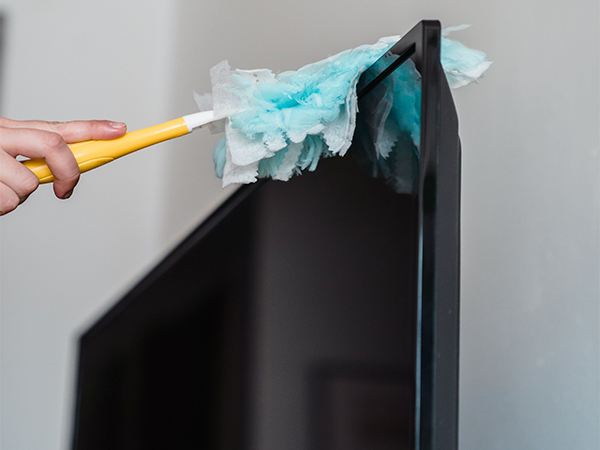
Electronics are essential to daily life—from smartphones and laptops to TVs, tablets, and gaming consoles. With frequent use, these devices naturally collect dust, fingerprints, and debris that can impact performance, hygiene, and longevity. The good news? With the right approach, you can safely clean your electronics and extend their lifespan without risking damage.
In this updated guide, we’ll walk through modern best practices, recommended tools, and practical tips to help you maintain your devices like a pro.
Why Regular Electronics Cleaning Matters
Keeping your devices clean isn’t just about appearance. Dust buildup can block ventilation, leading to overheating, while grime on screens and keyboards can affect usability and even harbor bacteria. Routine cleaning helps:
In this updated guide, we’ll walk through modern best practices, recommended tools, and practical tips to help you maintain your devices like a pro.
Why Regular Electronics Cleaning Matters
Keeping your devices clean isn’t just about appearance. Dust buildup can block ventilation, leading to overheating, while grime on screens and keyboards can affect usability and even harbor bacteria. Routine cleaning helps:
- Improve device performance
- Extend product lifespan
- Maintain screen clarity and responsiveness
- Support a cleaner, healthier workspace
-
Power Off and Unplug First
Before cleaning any device, always turn it off and disconnect it from power sources, including chargers and accessories. This reduces the risk of electrical shock and prevents accidental damage to internal components. -
Choose the Right Cleaning Tools
Avoid paper towels, rough fabrics, or harsh chemicals. Instead, use:- Microfiber cloths (lint-free and non-abrasive)
- Soft brushes for delicate areas
- Electronics-safe cleaning wipes
- Compressed air for hard-to-reach spaces
-
Use Liquids Carefully (Less Is More)
Liquids should never be applied directly to electronics. Instead:- Lightly dampen a microfiber cloth with water or a 70% isopropyl alcohol solution
- Ensure the cloth is only slightly damp—not wet
- Avoid excess moisture near ports, seams, and openings
-
Keep Vents and Airflow Clear
Proper ventilation is critical for preventing overheating. Dust buildup in vents can reduce airflow and strain internal components. To clean vents:- Use short bursts of compressed air
- Hold the device at an angle to prevent pushing dust deeper inside
- Avoid inserting objects into vent openings
-
Clean Keyboards and Mice Thoroughly
Keyboards and mice are high-touch surfaces that collect crumbs, dust, and oils:- Use compressed air to remove loose debris
- Gently clean between keys with a soft brush or cotton swab
- Lightly dampen a swab with isopropyl alcohol for stubborn spots
-
Safely Clean Screens and Displays
Screens on phones, monitors, and TVs require extra care:- Turn off the screen to see smudges more clearly
- Wipe gently with a dry microfiber cloth
- For tougher marks, use a slightly damp cloth or a screen-safe cleaner
-
Maintain Gaming Consoles
Gaming consoles often run for long periods, making them prone to dust buildup:- Wipe the exterior regularly with a microfiber cloth
- Use compressed air to clear vents and ports
- Keep the surrounding area clean to minimize dust intake
-
Care for Laptops and Tablets
Portable devices require consistent upkeep:- Power off and unplug before cleaning
- Use compressed air for keyboards and ports
- Wipe surfaces with a lightly damp microfiber cloth
- Avoid moisture near charging ports and speakers
-
Don’t Forget Accessories and Charging Gear
Charging cables, earbuds, and cases also collect dirt:- Wipe cables with a dry or slightly damp cloth
- Clean earbuds with a soft brush and alcohol wipe
- Regularly sanitize phone cases
-
Create a Simple Cleaning Routine
Consistency is key. A quick weekly wipe-down, combined with a deeper monthly clean, can keep your electronics in excellent condition with minimal effort.